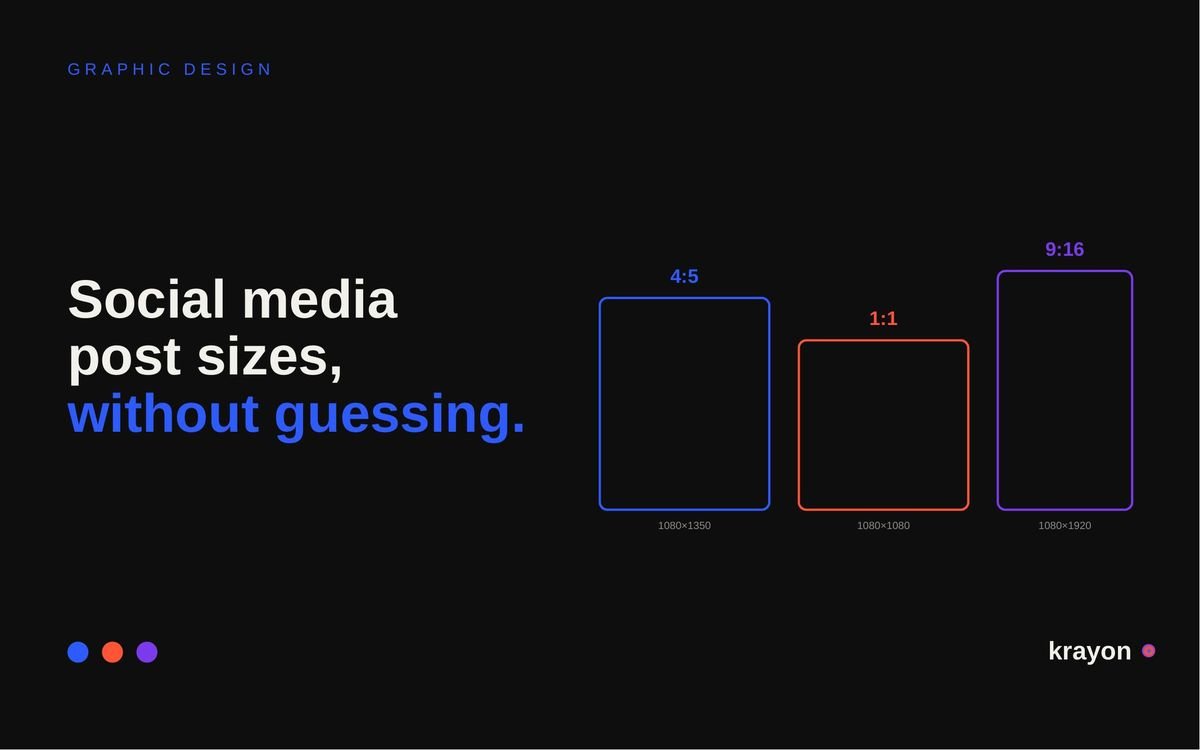
If you only remember one number, make it 1080 × 1350. That 4:5 portrait is now the default across most feeds, and it is the single biggest change from the cheat sheet you probably have saved.
Five sizes cover almost everything
- 1080 × 1350 (4:5) — portrait feed posts
- 1080 × 1920 (9:16) — stories, reels, shorts, TikTok
- 1080 × 1080 (1:1) — square feed posts
- 1200 × 630 (1.91:1) — link preview cards
- 400 × 400 — profile pictures
Design at those five and you have covered roughly nine placements in ten. Everything below is detail.
Feed posts: 1080 × 1350 portrait, 1080 × 1080 square, or 1080 × 1440 if you want the 3:4 option added this year. Meta now favours 4:5 over square, because a portrait fills about a third more phone screen.
Stories and reels: 1080 × 1920. Profile picture: 400 × 400, displayed as a circle, so keep anything important away from the corners.
Feed images follow Instagram — 1080 × 1350 or 1080 × 1080. Shared links pull a 1200 × 630 card. Cover photo is 820 × 312 on desktop but crops hard on mobile, so keep the message central.
Feed images: 1200 × 1200 square, or 1200 × 627 for a link card. Company page cover is 4200 × 700 — not the 1128 × 191 that most cheat sheets still print. Documents and carousels work at 1080 × 1350.
X, YouTube and Pinterest
X performs best at 1:1 or 16:9 — 1080 × 1080 or 1600 × 900. YouTube thumbnails should be 1280 × 720 at minimum, and YouTube now asks for 3840 × 2160 under 2MB. Shorts are 1080 × 1920. Pinterest wants 2:3, so 1000 × 1500.
The full reference
| Platform | Placement | Pixels | Ratio |
|---|---|---|---|
| Portrait feed | 1080 × 1350 | 4:5 | |
| Square feed | 1080 × 1080 | 1:1 | |
| Story / reel | 1080 × 1920 | 9:16 | |
| Feed image | 1080 × 1350 | 4:5 | |
| Link card | 1200 × 630 | 1.91:1 | |
| Cover photo | 820 × 312 | 2.6:1 | |
| Feed image | 1200 × 1200 | 1:1 | |
| Link card | 1200 × 627 | 1.91:1 | |
| Page cover | 4200 × 700 | 6:1 | |
| X | Feed image | 1600 × 900 | 16:9 |
| YouTube | Thumbnail | 1280 × 720 | 16:9 |
| YouTube | Short | 1080 × 1920 | 9:16 |
| Standard pin | 1000 × 1500 | 2:3 | |
| All | Profile picture | 400 × 400 | 1:1 |
Three things that catch people out
The profile grid crops to square
A 4:5 portrait looks right in the feed and loses its top and bottom on your profile grid. Keep anything critical — the logo, the headline, a face — inside the central square.
A carousel locks to the first slide
Every slide takes the ratio of slide one. Mix a square chart with a portrait photograph and one of them gets letterboxed or cut. Decide the ratio before you design any of it.
The link preview is a website job
The image that appears when someone shares your URL comes from the og:image tag on that page, not from anything you upload to the platform. If it looks wrong, the fix is in your website, not your post.
File quality
Upload at 1080px wide minimum. Meta recommends at least 2048px on the long edge and compresses from there, which beats uploading something already squeezed. JPEG for photographs, PNG only where you need transparency.
Design once at 4:5 and crop outward. Designing square and stretching to portrait is how you end up with a logo touching the edge.
Platforms adjust these every year, usually without announcing it. Check the platform itself when a spec is business-critical — particularly for ads, where a rejected size costs you a campaign day.
Common questions
What is the best all-purpose social media image size?
1080 × 1350 pixels, a 4:5 portrait. It works natively in the Instagram, Facebook and LinkedIn feeds and fills more phone screen than a square, which is why Meta now favours it over 1:1.
Is square still fine on Instagram?
Yes, 1080 × 1080 still renders correctly. It simply occupies less screen than a portrait, so it tends to get less attention in the feed. Square is still useful when you want the profile grid to read as a deliberate block.
What size should a reel or story be?
1080 × 1920, a 9:16 vertical. The same file works for Instagram reels and stories, YouTube Shorts, TikTok and Facebook. Keep text away from the top and bottom, where the platform puts its own interface.
Why does my shared link show the wrong image?
That image comes from the og:image tag on the page being shared, not from the social post. Fix it in the website template. Facebook and LinkedIn both cache it, so use their debugging tools to force a refresh after you change it.
Do wrong image sizes affect reach?
Indirectly. A badly cropped or blurry image performs worse because people scroll past it, and platforms deprioritise low-quality uploads. Size itself is not a ranking factor, but the result of getting it wrong is.
Or let someone else hold the numbers.
We run social media for brands across India — strategy, design, reels and reporting, sized correctly without anyone having to think about it.
social media →read next